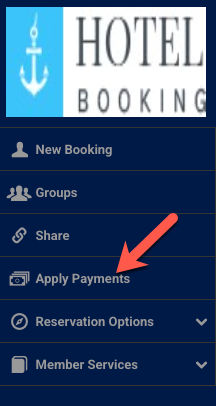
Go to main menu on the left hand and choose “Apply Payments”.
Then select if you prefer to make an Individual or Multiple Bookings.
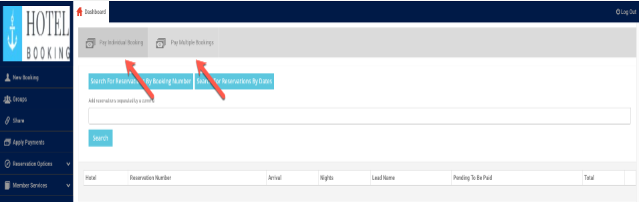
Individual
Just enter the reservation code and get the information.
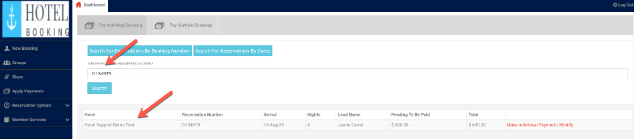
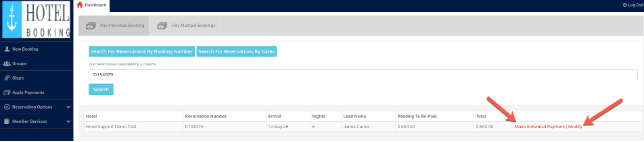
The apply an individual payment or modify the reservation.
Multiple Payment
Choose Pay Multiple bookings.
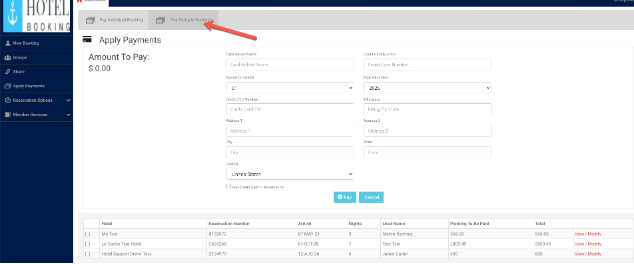
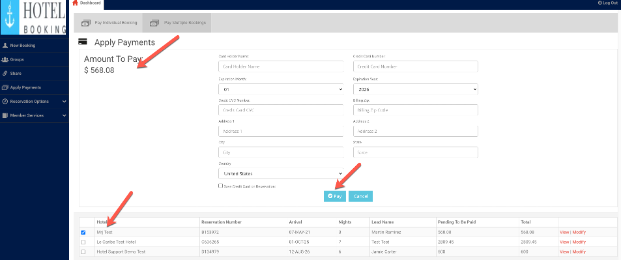
Below you will find the active reservations, just select those you want to pay and the amount will be increasing once you add a reservation. Then click on Pay.
Was this article helpful?
That’s Great!
Thank you for your feedback
Sorry! We couldn't be helpful
Thank you for your feedback
Feedback sent
We appreciate your effort and will try to fix the article