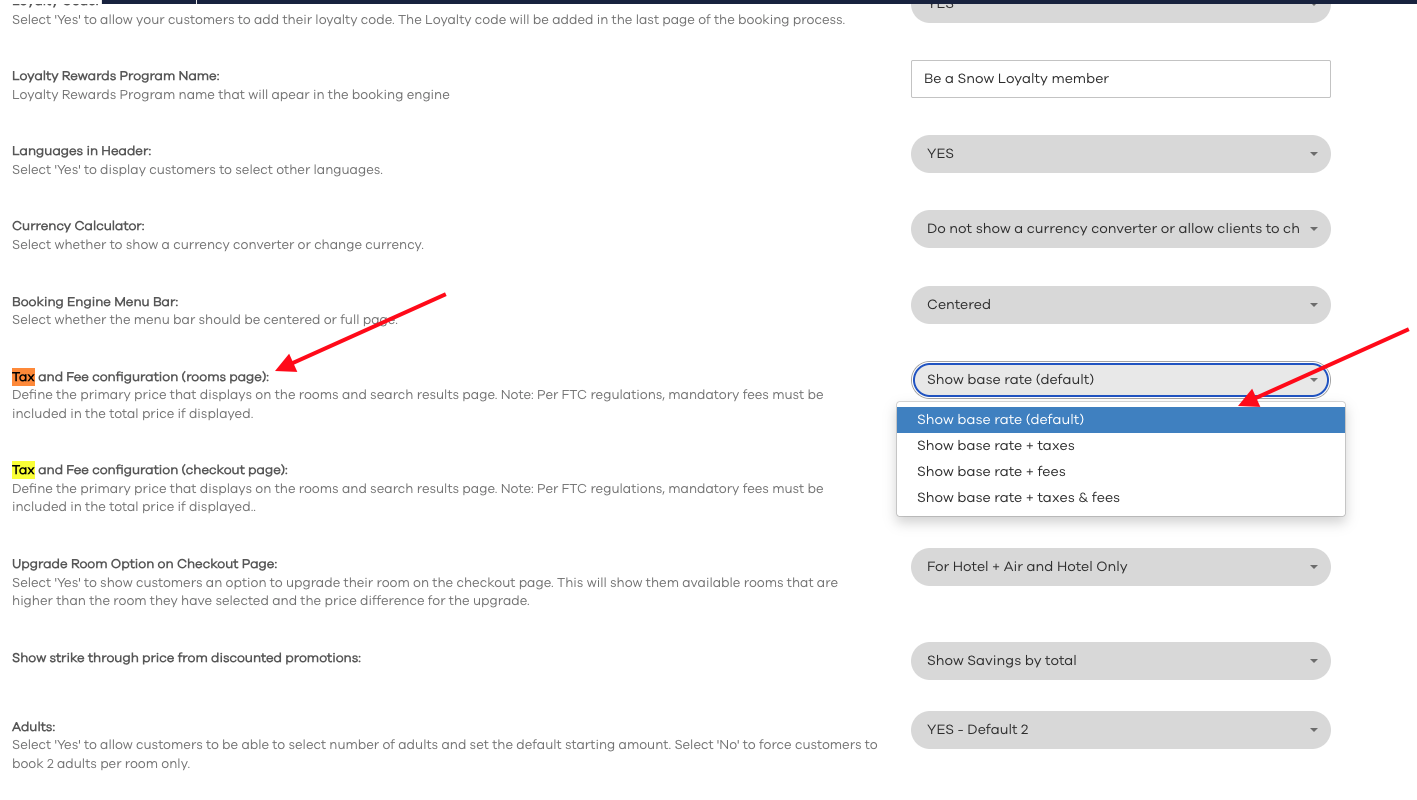
This feature allows you to define the primary price displayed on the rooms page and search results page within the booking engine. Depending on your hotel's commercial strategy and regional regulations, you can customize which price components (base rate, taxes, or additional fees) are shown to guests initially.
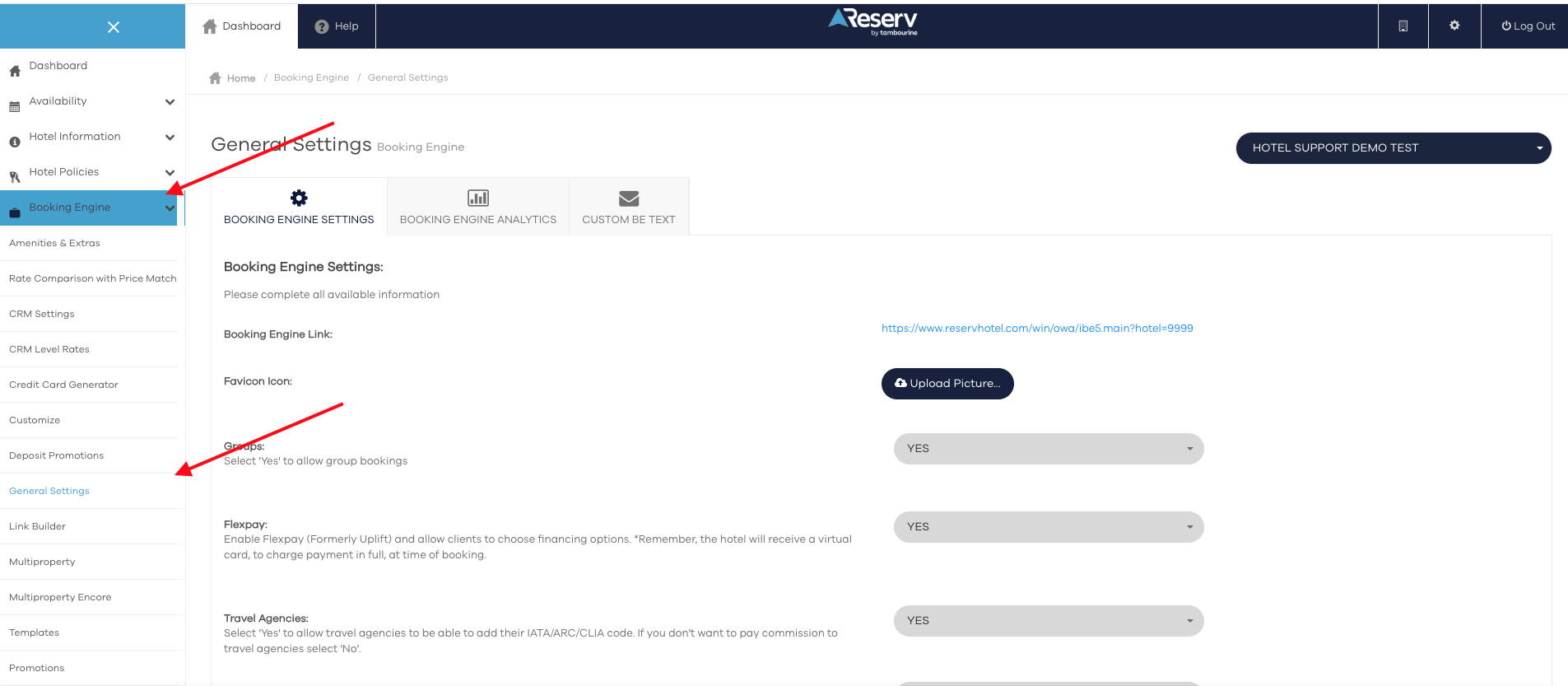
Go to ReservStudio - Booking Engine - General Settings
Scroll down until you find "Tax and Fees configuration (room page)" and select your option
Scroll Down and click "Save"
Was this article helpful?
That’s Great!
Thank you for your feedback
Sorry! We couldn't be helpful
Thank you for your feedback
Feedback sent
We appreciate your effort and will try to fix the article