The Tax and Fee Configuration (Checkout Page) feature gives you full control over how rates, taxes, and additional fees are structured when a guest is ready to finalize their payment.
This setting helps maintain a consistent pricing experience from the initial search all the way to the final booking confirmation.
Go to ReservStudio - Booking Engine - General Settings
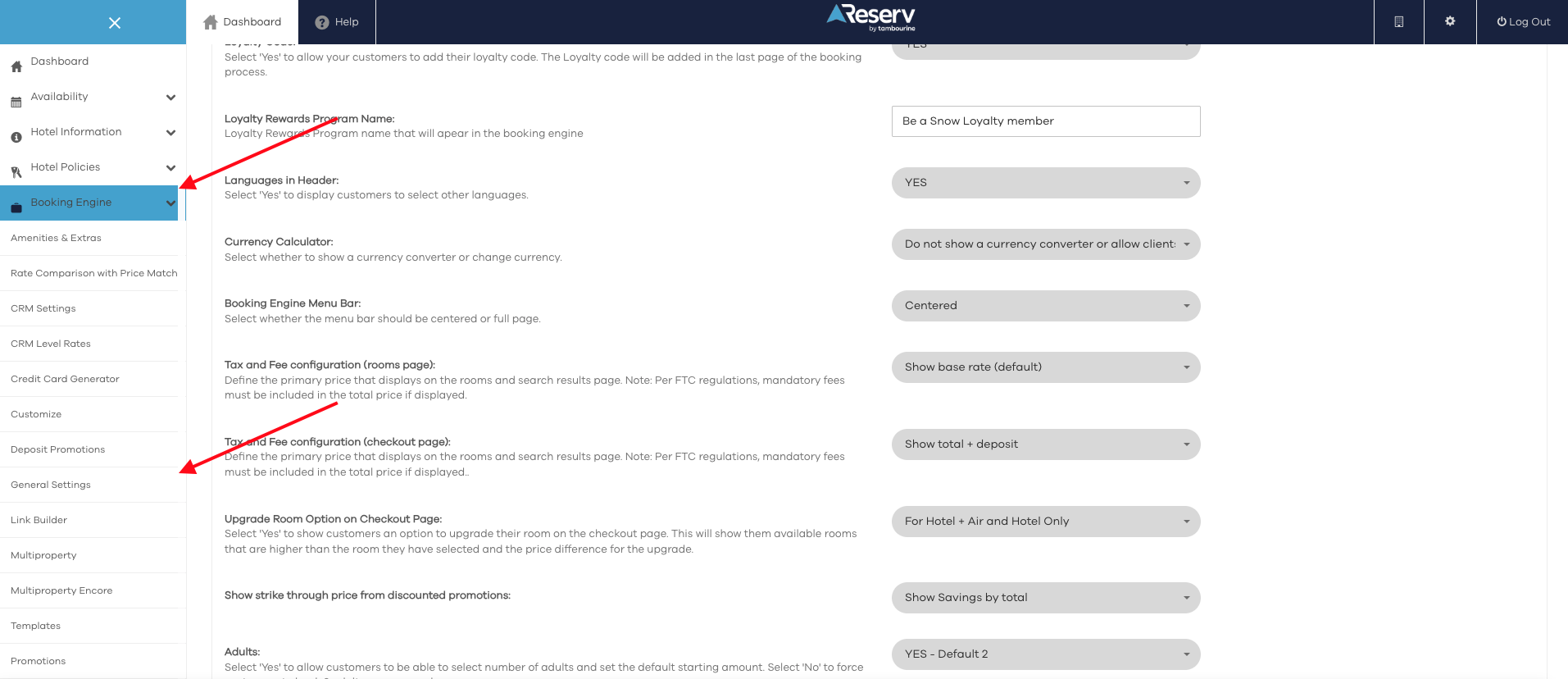
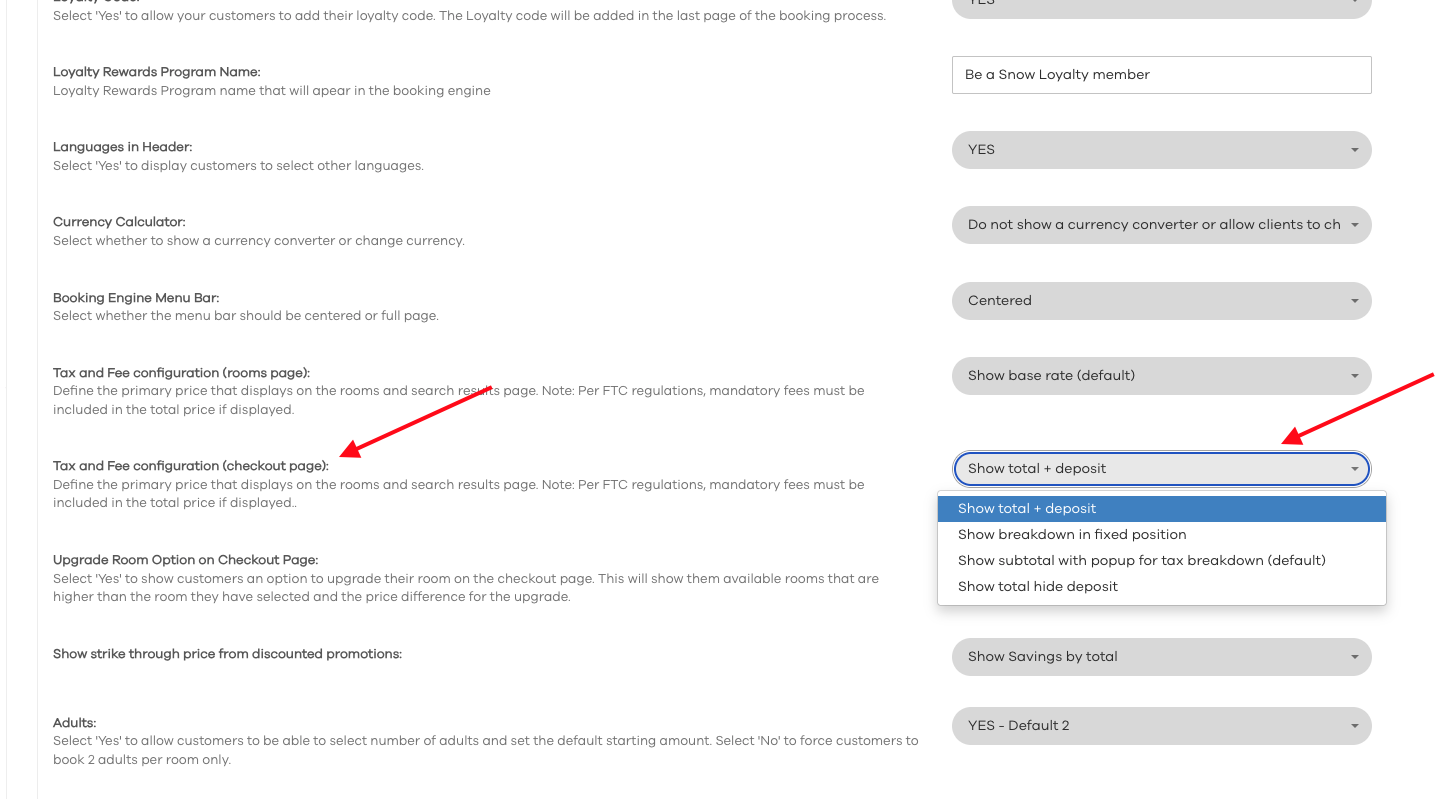
Scroll down until you find "Tax and Fee configuration (checkout page):" and select your option
Scroll Down and click "Save"
Was this article helpful?
That’s Great!
Thank you for your feedback
Sorry! We couldn't be helpful
Thank you for your feedback
Feedback sent
We appreciate your effort and will try to fix the article