his feature is designed for properties that load tax-inclusive rates into the system but want to display a lower, more competitive rate during the initial booking phase.
When enabled, the booking engine automatically extracts (backs out) the taxes from your loaded rates. The price behavior changes across the booking funnel as follows:
Rooms Section: The system strips out the tax amount to display only the lower, calculated base rate to guests browsing rooms.
Review Section (Final Step): The system displays the full, itemized breakdown—showing the extracted base rate, the exact tax amount, and the final tax-inclusive total before the guest completes the booking.
Go to ReservStudio - Booking Engine - General Settings
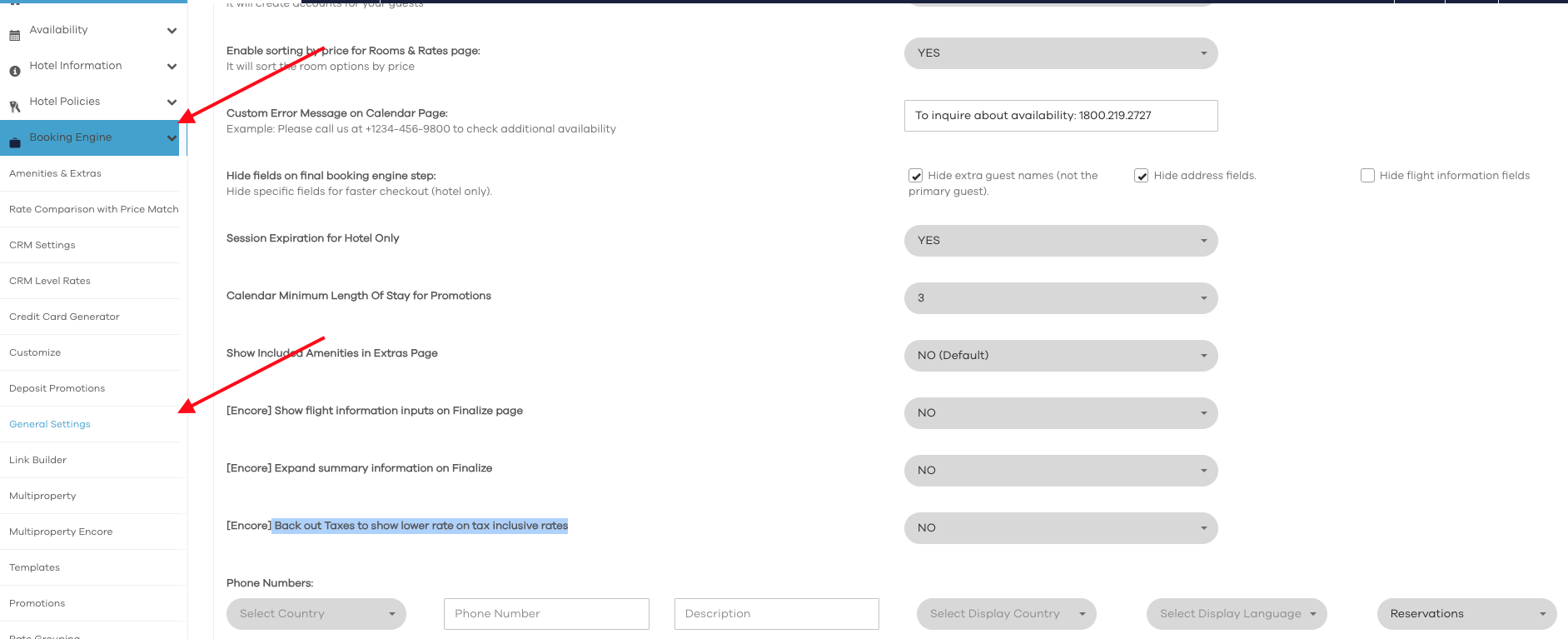
Scroll down until you find "[Encore] Back out Taxes to show lower rate on tax inclusive rates" and select your option
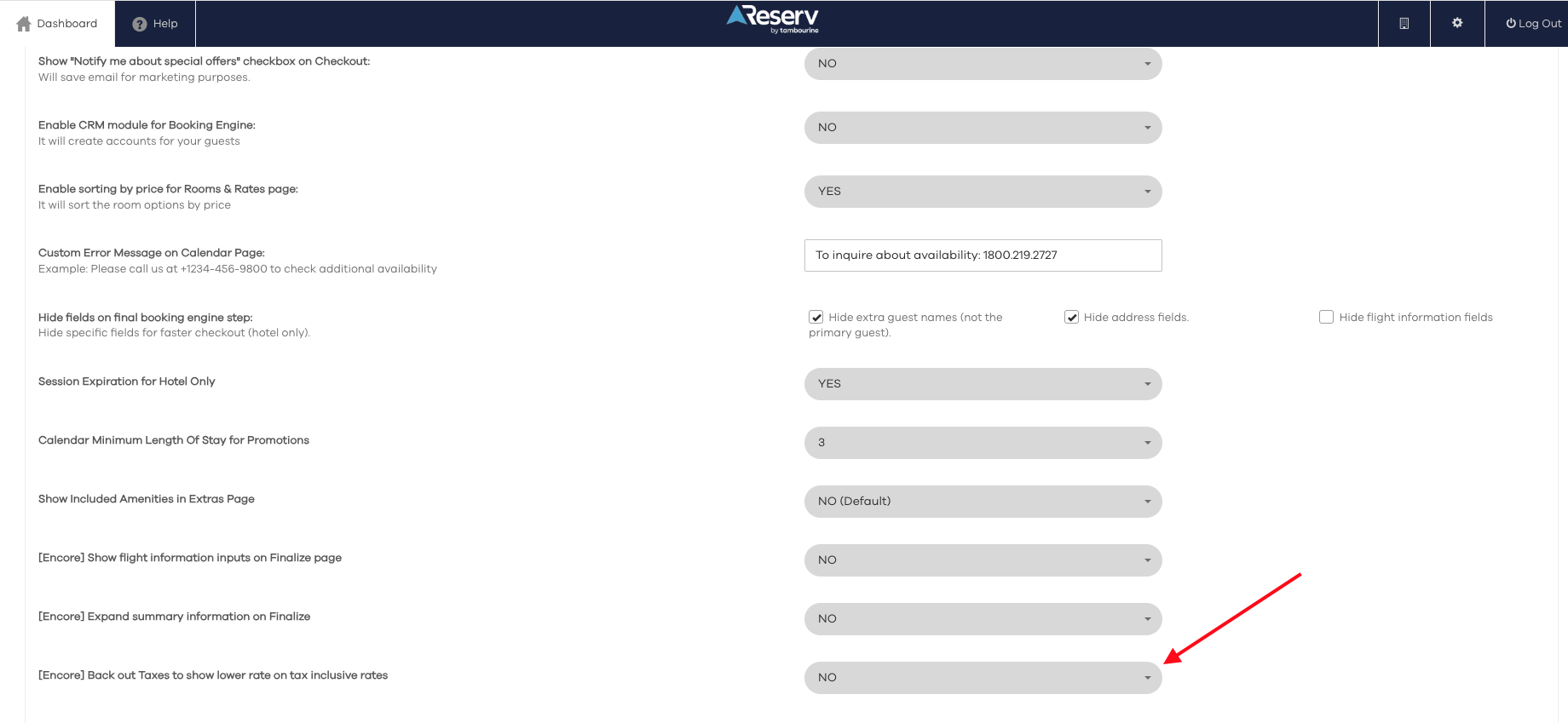
Scroll Down and click "Save"
Was this article helpful?
That’s Great!
Thank you for your feedback
Sorry! We couldn't be helpful
Thank you for your feedback
Feedback sent
We appreciate your effort and will try to fix the article